

TLDR
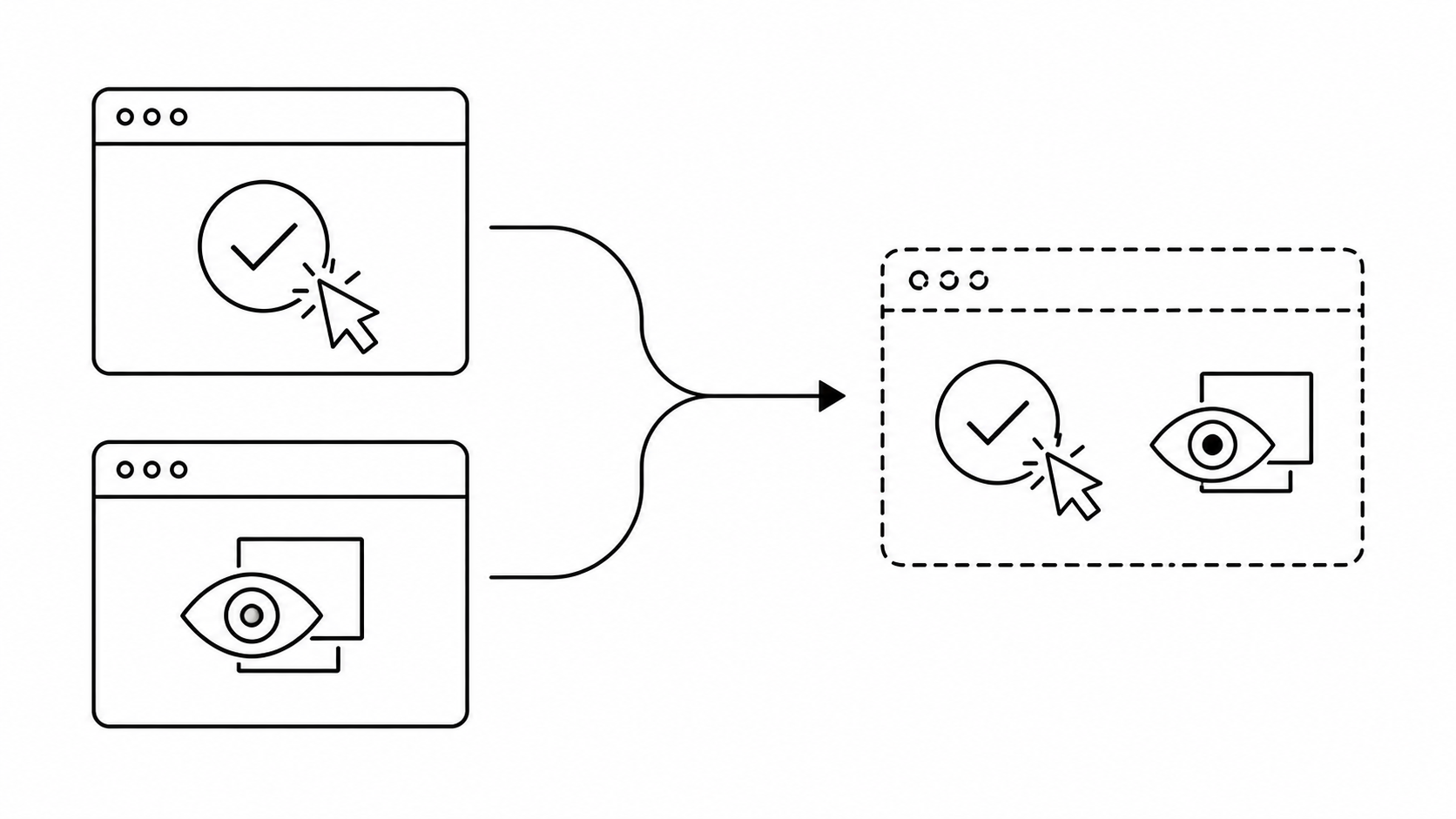
Automated UI testing verifies that interface elements work correctly, such as buttons responding, forms submitting, and navigation flowing as expected. Visual regression testing checks that the interface looks correct, layouts, fonts, alignment, and spacing all rendering as intended. They catch different bugs, and many testing setups still treat them as separate steps with separate tools. Both are rule-based, which means both hit the same ceiling once a UI changes in ways nobody scripted for. Agentic testing, where an AI agent observes and reasons about the interface directly, verifies function and appearance in the same pass instead of splitting them.
Introduction
Automated UI testing and visual regression testing both aim to catch bugs before users do, but they check for different things, and many testing setups still run them as two separate steps with two separate toolchains. Here's what each one actually verifies, where the split comes from, and where a newer approach changes the picture.
Automated UI Testing: Functionality First
Automated UI testing replaces a human manually clicking through an application with coded or codeless scripts that run automatically in the development pipeline. The scripts validate that UI elements function as expected: a button click submits the form, a login redirects to the dashboard, a dropdown populates with the right options. The goal is functional verification, not appearance. A test can pass a fully automated UI testing suite while the page underneath looks visibly broken, because functional scripts were never checking for that.
Visual Regression Testing: Catching What Functional Tests Miss
Visual regression testing takes a different angle. Instead of checking whether an element works, it checks whether the interface looks the way it's supposed to, by capturing a screenshot and comparing it against a stored baseline image. This catches a category of bugs that automated UI testing usually misses entirely:
- Images overlapping text
- Broken or shifted layouts
- Misaligned elements
- Incorrect fonts or colors
- Elements that silently disappeared
A button can technically still work, click registers, form submits, while being rendered off-screen or hidden behind another element, especially in setups that bypass visibility checks to force the click through. Functional automation often won't catch that. Visual regression testing will.
Why Both Approaches Hit the Same Ceiling
Automated UI testing and visual regression testing are both, at their core, rule-based. One matches against known selectors and scripted paths. The other matches a screenshot against a stored baseline. Both work against a closed set: the cases someone anticipated and wrote a rule for in advance.
The moment something falls outside that set, the rule-based approach doesn't know what to do: a layout that shifted for a legitimate reason, a popup nobody scripted for, a dataset that already exists from a previous run. A human has to step in, update the script, or update the baseline. That's not a tooling failure. It's a structural limit on how rule-based automation works, and it's a big part of why most teams stall around 40-60% automated test coverage no matter how much they invest in more scripts or more baselines.
Agentic Testing: Verifying Both in the Same Pass
Agentic testing works differently. Instead of matching against a fixed rule, an AI agent observes the interface, reasons about what it's looking at, and decides how to act, the same way a human tester would. Because the agent is reasoning about open-ended state rather than a scripted case, it can verify function and appearance in a single pass: is the button clickable, and is it visible, unobstructed, and where a user would expect to find it. Some vendors call this autonomous testing. The mechanism is the same, an agent making runtime decisions instead of running a fixed script.
This also changes how testing holds up when the UI shifts. A rule-based script or a stored baseline breaks the moment something changes and needs to be manually updated. An agent that reasons about what it sees adapts to the change automatically, and if the usual path to a goal disappears entirely, a login button that's gone, a flow that moved, it finds a different way to reach the same result instead of just failing. Tests can be written as plain-language instructions, so QA teams and manual testers can build one without a Selenium, Cypress, or Appium background. Engineers who want tighter control can also work through a Python SDK to wire agentic tests into existing CI/CD pipelines, so the same approach scales from a natural-language test file to a fully coded workflow.
Which Approach Do You Need?
- Verifying that interactions and workflows function correctly, within a standard dev pipeline: automated UI testing is built for exactly that, and it's the right default for most functional checks.
- Catching layout, font, and rendering bugs that functional scripts don't check for: visual regression testing, comparing screenshots against a baseline, is the established way to do this.
- Coverage that keeps breaking every time the UI changes, or verifying function and appearance without maintaining two separate toolchains: that's where agentic testing fits, reasoning about the interface at runtime instead of matching against fixed rules or baselines.
These aren't mutually exclusive. A common setup: keep functional and visual automation for the checks they're already tuned for, and use agentic testing for the coverage that keeps falling through the cracks between them.
Conclusion
Automated UI testing verifies that the interface functions correctly. Visual regression testing verifies that it looks correct. Both are rule-based, and both hit the same coverage ceiling once a UI changes in ways nobody scripted for in advance. Agentic testing doesn't replace the need to verify function and appearance, it verifies both in the same pass by reasoning about the interface instead of matching it against a fixed rule.
FAQ
What is the main difference between automated UI testing and visual regression testing?
Automated UI testing verifies that UI elements function correctly, such as a button responding or a form submitting. Visual regression testing verifies that the interface looks correct by comparing screenshots against a baseline, catching issues like misalignment or incorrect fonts that functional checks don't look for.
Can visual regression testing replace automated UI testing?
No. They check for different things. A screenshot comparison won't tell you whether a button's click handler is broken, and a functional script often won't catch that same button rendering off-screen, especially if the test bypasses visibility checks to force the click through. Comprehensive coverage needs both, or an approach that covers both at once.
What types of defects does visual regression testing catch that functional testing misses?
Layout shifts, misaligned elements, incorrect fonts or colors, overlapping content, and elements that render but are visually broken or hidden. Issues like misaligned elements or wrong colors pass functional checks cleanly, since the element still works end to end. Hidden or overlapping elements are a greyer area, some frameworks catch those as click failures, others don't, depending on whether visibility checks are enforced.
How is visual regression testing typically implemented?
Automated tools capture a screenshot of the interface and compare it pixel-by-pixel (or with AI-assisted comparison) against a stored baseline image. Differences get flagged for review. This requires a stable baseline, and even intentional UI changes, a planned redesign, a new feature, invalidate it and require a manual re-capture, which is a known limitation of the approach.
Does agentic testing require coding experience?
No, but it supports both paths. QA teams and manual testers can write tests as plain-language instructions in Markdown or CSV files, no Selenium, Cypress, or Appium experience required. Engineers who want more control can use a Python SDK to build custom test logic and wire agentic tests into existing CI/CD pipelines. Either way, functional and visual verification happen in the same test.